
> kanon

HTTP load testing for your terminal and CI pipeline

Kotlin Java Docker macOS Linux
Quick start
terminal
wget https://github.com/vikbytes/kanon/releases/download/1.3.0/kanon-1.3.0.jar
java -jar kanon-1.3.0.jar --url https://www.example.com --number 10
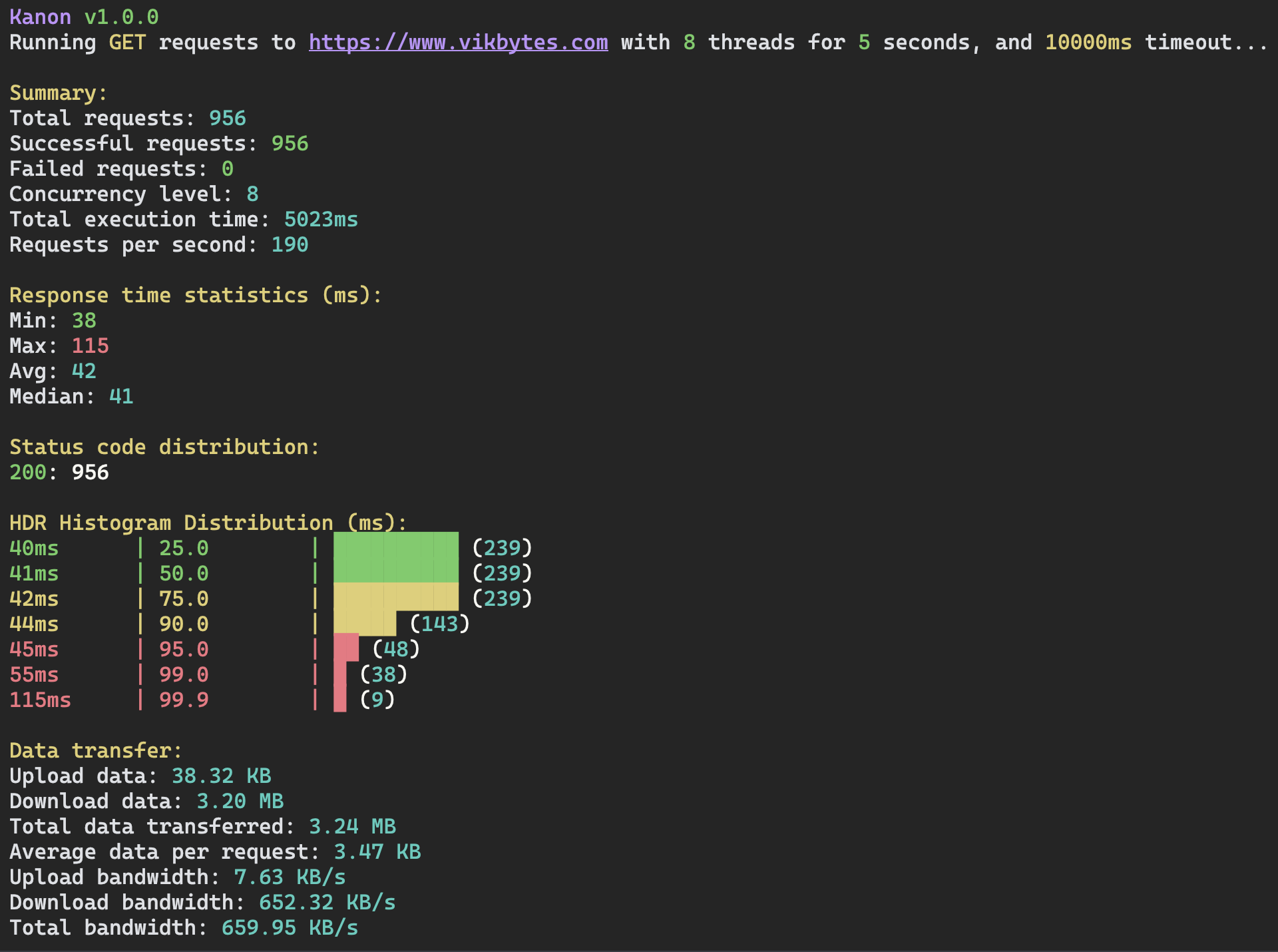
Kanon CLI Screenshot

Features

Flexible Testing

Duration-based or number of requests-based load testing

Concurrent Execution

Configure number of threads for concurrent request execution

Detailed Statistics

Response time statistics and data transfer metrics

cURL Support

Run cURL requests directly or from file

CI/CD Ready

Built-in CI mode for automated load testing in pipelines

HdrHistogram Output

Latency distribution analysis with HdrHistogram

Usage

terminal
# Run 10 requests
kanon --url https://www.example.com --number 10
terminal
# Run requests for 5 seconds with 8 concurrent threads
kanon --url https://www.example.com --duration 5 --concurrent 8
terminal
# Run in CI mode
kanon --url https://www.example.com --duration 5 --ci
terminal
# Using cURL from file
kanon --curl-file curl-command.txt --concurrent 5 --number 100

Installation

Requires JVM 25 or newer to run.

terminal
# Download Kanon JAR file
wget https://github.com/vikbytes/kanon/releases/download/1.3.0/kanon-1.3.0.jar
terminal
# Run the JAR
java -jar kanon-1.3.0.jar --url https://www.example.com --number 10
terminal
# Create script to make available on the PATH
echo '#!/bin/sh
exec java -jar "$HOME/Downloads/kanon-1.3.0.jar" "$@"' > kanon && chmod +x kanon
terminal
# Copy script to /usr/local/bin
sudo cp kanon /usr/local/bin/
terminal
# Run kanon
kanon --url https://www.example.com --duration 1
terminal
# Download for Linux (amd64)
wget https://github.com/vikbytes/kanon/releases/download/1.3.0/kanon-1.3.0-linux-amd64.tar.gz
terminal
# Extract the downloaded tar.gz file
tar -xzf kanon-1.3.0-linux-amd64.tar.gz
terminal
# Copy the extracted binary to /usr/local/bin
sudo cp kanon-1.3.0-linux-amd64 /usr/local/bin/kanon
terminal
# Make the binary executable
sudo chmod +x /usr/local/bin/kanon
terminal
# Run kanon
kanon --url https://www.example.com --number 10
terminal
# Download for Linux (arm64)
wget https://github.com/vikbytes/kanon/releases/download/1.3.0/kanon-1.3.0-linux-arm64.tar.gz
terminal
# Extract the downloaded tar.gz file
tar -xzf kanon-1.3.0-linux-arm64.tar.gz
terminal
# Copy the extracted binary to /usr/local/bin
sudo cp kanon-1.3.0-linux-arm64 /usr/local/bin/kanon
terminal
# Make the binary executable
sudo chmod +x /usr/local/bin/kanon
terminal
# Run kanon
kanon --url https://www.example.com --number 10
terminal
# Download for macOS (arm64)
wget https://github.com/vikbytes/kanon/releases/download/1.3.0/kanon-1.3.0-mac-arm64.tar.gz
terminal
# Extract the downloaded tar.gz file
tar -xzf kanon-1.3.0-macos-arm64.tar.gz
terminal
# Copy the extracted binary to /usr/local/bin
sudo cp kanon-1.3.0-macos-arm64 /usr/local/bin/kanon
terminal
# Make the binary executable
sudo chmod +x /usr/local/bin/kanon
terminal
# Run kanon
kanon --url https://www.example.com --number 10
terminal
# Remove quarantine attribute necessary since binary is not notarized
sudo xattr -d com.apple.quarantine /path/to/the/kanon/binary
terminal
# Pull the Docker image
docker pull vikbytes/kanon:latest
terminal
# Run Kanon in Docker
docker run --rm vikbytes/kanon:latest --url https://www.example.com --number 10